


Kids Offline Preschool Games
4.2101.00 Reviews
App Specs
- Version
- 1.65
- Updated On
- License
- Free
- Downloads
- 1,000,000+
- Developer
- Kidzooly - Kids Games, Rhymes , Nursery Songs.
- Categories
- Educational
- Platform
- Android
Screenshots



 Analysis by AppCompare
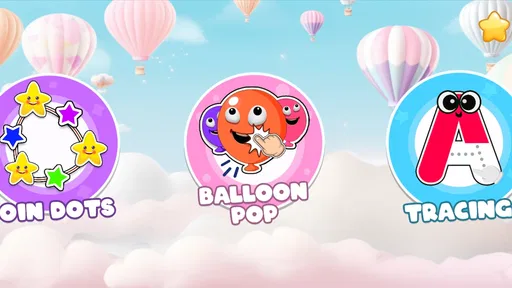
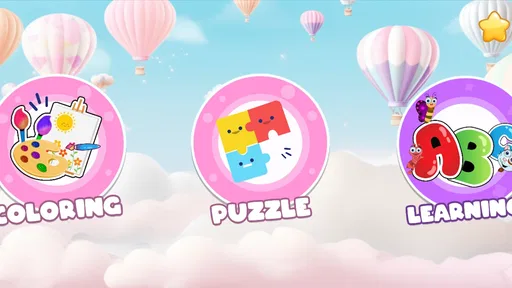
Kids Offline Preschool Games is the kind of educational game I would consider for a young child who needs something simple to do without depending on a constant internet connection. It brings together preschool activities such as tracing, coloring, and other children’s games in one place, so a parent does not have to switch between several separate apps. I find that combination useful for short practice sessions, travel, waiting rooms, or quiet time at home.
What makes it interesting is its balance between play and early learning. A child can move from a creative activity to a basic practice task without the experience feeling like a formal lesson. That matters at preschool age, when attention can change quickly. At the same time, I would not treat it as a complete early-education program. Its value is in offering accessible practice and entertainment, not in replacing a parent, teacher, workbook, or structured learning plan.
What the game feels like in everyday use
The game comes from Kidzooly - Kids Games, Rhymes , Nursery Songs, a developer focused on children’s content. It is listed as a free educational game for Everyone, with optional in-app purchases priced at $3.49 per item. That makes it easy to try before deciding whether the extra content is worthwhile, although parents should still check the purchase flow before handing over the device.
In my view, the strongest use case is a child who enjoys switching between activities but still benefits from familiar preschool themes. Tracing can support early control of finger movements, while coloring gives the child a less structured way to stay engaged. The important point is not that every activity will suit every child. Some children will prefer open-ended coloring, while others may lose interest unless the task has a clear goal.
A realistic example would be a family preparing for a long car journey. Before leaving, a parent can open the game and make sure the child has already seen the activities they may use. During the trip, the child can spend a short period tracing or coloring rather than watching a long video. I would keep the sessions brief and alternate them with conversation, books, or physical breaks. The offline focus is especially practical in places where mobile data is unreliable or deliberately turned off.
Why offline access changes the experience
Offline play is more than a convenience for preschool software. It reduces the chance that a child will be interrupted by a weak connection at the exact moment they are concentrating. It also makes the game more suitable for flights, road travel, waiting areas, and homes where a child uses a device with limited connectivity. I still recommend opening the app in advance, because downloading or preparing anything while a child is waiting can create unnecessary frustration.
There is also a useful parenting advantage. When an activity works without a live connection, the device can be put into a simpler, more controlled setting. A parent can prepare one game for a specific situation instead of giving a child unrestricted access to online entertainment. That does not automatically make every screen session ideal, but it gives the adult more control over the context.
Worth Reading Before You Choose

EA SPORTS FC Mobile 26 Is a Bigger Football Game, but It Takes Time

Flipboard Shows What News Apps Must Do Beyond the Feed

Switching to Android Auto Means Rethinking Your Driving Routine

Google Calendar Makes a Crowded Week Easier to Manage

Ludo King Makes the Most of the Minutes Between Plans

Baby Panda World Brings Quick Play to Modern Phones, but Its Game Library Feels Busy
The trade-off is that offline games usually feel more self-contained than large online learning platforms. A child may not receive the same kind of ongoing lesson path, cloud-based progress, or regularly changing material that some subscription services provide. For a family looking for a broad curriculum with detailed progress tracking, a dedicated learning platform may be a better fit. For occasional preschool practice without connectivity, this format is more convenient.
Speed expectations for a child’s short attention span
For a preschool game, perceived speed matters more than technical specifications. A child does not need sophisticated graphics if the activity responds clearly and gets out of the way quickly. The useful test is whether the child can move from opening the game to starting an activity without a confusing chain of menus. In my experience with this type of design, simple tracing and coloring tasks are most effective when the child can understand the next action immediately.
I would expect the lighter activities to be less demanding than a visually complex modern game, but I would not promise identical performance on every device. The game supports Android 8.0 and newer, which gives it a broad range of compatible phones and tablets while still leaving older hardware outside the supported range. A newer device is not automatically necessary, but an older supported device may feel less comfortable if storage is nearly full or several apps are active in the background.
One practical tip is to launch the game before handing the device to the child. This lets an adult confirm that the desired activity is ready and avoids making the child wait through setup. It also gives the parent a chance to lower distractions, close unrelated apps, and check that the device has enough battery for the planned session. These small steps are more valuable with young children than chasing maximum graphical quality.
What happens during heavier use
The most demanding moments are likely to be transitions rather than the learning actions themselves. Moving between several colorful sections, loading a new activity, or returning to the game after the device has been busy with other apps can be more noticeable than tracing a simple shape. I pay attention to these moments because a preschool child may interpret a pause as a broken game and immediately ask for another app.
Parents can reduce that friction by using one activity at a time. If a child is coloring, there is no need to jump repeatedly between every available section just to sample them all. A short session built around one goal is easier for the child to follow and may also keep the device from doing unnecessary work. This is a small but useful workflow: choose the activity first, set a time boundary, and only explore other sections after the child has finished.
Coloring can also encourage longer sessions than tracing because children may keep experimenting with the picture. That is good for creative engagement, but it can make the game less predictable as a time-filler. If the parent needs a five-minute distraction, a focused tracing task may be easier to end than an open-ended coloring activity. I would use the more creative option when there is time for the child to finish naturally.
Another realistic heavy-use situation is sharing one tablet among siblings. The game may be attractive because it offers different types of activities, but two children can still disagree about what to play. I would avoid treating it as a fully managed multi-child system. Instead, I would set a turn order outside the app and let each child choose one activity. That approach prevents the game itself from becoming the source of the argument.
Reliability and recovering from interruptions
Reliability is particularly important in children’s apps because adults often open them while doing something else. A parent may be cooking, traveling, or helping another child, and does not want to troubleshoot a complicated screen. The offline design helps by removing one common cause of interruption: an unavailable connection. It does not eliminate every possible issue, though. The device itself can still lock, run low on battery, or suspend the app when another task takes priority.
I recommend a simple recovery routine. If the game is interrupted, reopen it and return to the same activity rather than immediately searching through every section. If the child was in the middle of coloring, a parent can explain that the device is restarting and help them begin again without presenting the interruption as a failure. Keeping the device charged and avoiding a crowded recent-apps list can also make recovery less stressful.
This is one area where a traditional workbook has an advantage. A paper tracing sheet never needs to reload, never competes for memory, and can be picked up exactly where the child left it. The game wins when the child wants sound, movement, or a more playful response, but paper remains the more dependable option for a calm, interruption-free exercise. I see the two formats as complementary rather than competing replacements.
The game’s current version is 1.65, and it has been available since Apr 12, 2018. That history suggests it is an established title rather than a brand-new experiment, while the current version indicates that the app has a maintained release to use. I would still keep expectations realistic: an established preschool game can be convenient and stable without offering the constant novelty of a large online service.
Device limits parents should consider
Because the minimum operating system is Android 8.0, families using very old phones or tablets should check compatibility before planning around it. Supported software is only one part of the experience. A small phone screen may be awkward for tracing, especially for a child who is still developing precise finger control. A tablet is usually more comfortable for coloring and gives two hands more room, although a phone can be perfectly adequate for a brief activity.
Storage and battery are also worth considering without turning them into technical obstacles. A child’s device should have enough free space for normal operation, and a low battery can end an offline session at the worst possible time. I would prepare the device in advance, especially for travel. That preparation is more important than whether the hardware is new, because a well-maintained older compatible tablet can be more useful than a powerful device that is distracting or difficult for a child to hold.
Screen size affects supervision too. On a larger device, a parent can sit beside the child and see what is happening without taking control. On a small phone, the child may hold the screen close or tap more inaccurately. If the goal is tracing practice, that difference matters. If the goal is simply keeping a child occupied for a few minutes, the smaller display may be sufficient.
I would also avoid judging the game by adult gaming standards. Preschool activities do not need advanced animation or demanding challenges to be worthwhile. What matters is clarity, responsiveness, and whether the child understands the task. A device that runs the game smoothly but is used without adult guidance can still produce a poor routine, while a modest tablet used thoughtfully may support a much better one.
Learning value beyond the obvious activities
The most useful hidden benefit is the way the activities can be arranged into a small routine. I would begin with tracing when the child is fresh, move to coloring as a reward for effort, and finish by asking the child to describe what they did. That sequence turns a collection of mini-games into a short interaction involving control, creativity, and language. The app does not need to provide a formal lesson for a parent to create that structure around it.
A second useful approach is to watch for frustration rather than automatically increasing difficulty. If a child repeatedly misses a tracing path, the answer may be a larger screen, a slower pace, or a break, not more attempts. The game can provide practice, but the adult decides whether the practice is still productive. This is an important trade-off compared with a workbook: digital feedback may feel more playful, while paper makes it easier to pause and draw together.
A third insight is that offline access makes the game suitable for planned device boundaries. A parent can select a single activity before the session and then put the device away when the agreed time ends. This is easier than handing over a browser or a video platform where recommendations can lead the child elsewhere. The game is not a substitute for supervision, but its self-contained nature supports a clearer routine.
Compared with nursery videos, the game asks the child to do something rather than only watch. That can make it more active, especially for tracing and coloring. Compared with standalone coloring apps, it offers more variety for a child who quickly becomes bored. Compared with comprehensive preschool subscriptions, it is likely to feel lighter and less curriculum-driven. I would choose it for flexible practice and travel convenience, not for detailed educational reporting.
Who should use it, and who should skip it
I think it suits parents of preschool children who want a free starting point, offline access, and several familiar activity types in one app. It can also work well for grandparents or caregivers who need an uncomplicated activity during a short visit. The Everyone age rating makes the intended audience broad, but the adult should still introduce the game and decide how the child uses it.
I would be more cautious if your main requirement is measurable progress. Families looking for lesson sequencing, individual profiles, extensive reporting, or a highly structured curriculum may prefer a specialized early-learning platform. Likewise, a child who dislikes touch-screen tracing or becomes overstimulated by colorful digital activities may do better with blocks, drawing materials, or paper exercises.
The optional purchases deserve a practical mention. The game is free to start, but extra items cost $3.49 each. I would not buy anything immediately. First, I would observe which activities the child actually returns to and whether the free selection is enough for the family’s routine. If the child only uses one type of activity, paying for more variety may not improve the experience. This is a better decision than purchasing content simply because the app contains it.
Its popularity gives some reassurance that it has reached a substantial audience: it has more than a million installs and a 4.2 average from about 4.1 thousand ratings. I treat those figures as context rather than proof that every child will enjoy it. The experience still depends on age, motor skills, device size, and how actively an adult guides the session.
My performance verdict
My overall impression is that Kids Offline Preschool Games is best understood as a practical activity box for young children, not a complete digital school. Its strongest performance qualities are the offline format, approachable preschool focus, and variety between tracing and creative play. Those qualities make it useful when a connection is unavailable or when a parent wants something more interactive than a video.
The main friction comes from managing expectations. It may not offer the depth of a dedicated curriculum, and device conditions still influence how smooth the experience feels. Parents should prepare the device, choose an activity before the child starts, and treat the game as one part of a broader routine. That approach also makes recovery easier if the app is interrupted or the child loses interest.
After considering its speed expectations, heavier-use moments, reliability, and device constraints, I would recommend trying it for short, supervised sessions. It is especially appealing for travel, quiet waiting periods, and families that want preschool activities available offline without committing to a larger service. The best results come from using it as a focused tool, not as an unattended replacement for play, conversation, or hands-on learning.
For my own recommendation, I would start with the free version, test it on the device the child will actually use, and see whether tracing or coloring holds their attention. If the app feels comfortable on that screen and fits the family’s boundaries, it can earn a regular place in the rotation. If the child needs deeper progression or the device is too small and distracting, a workbook or a more structured learning app will probably be the wiser choice.
In short, this is a sensible option for parents who value convenience and offline preschool play. It is not flawless, and it should not be presented as a full educational solution, but it offers a useful middle ground between passive videos and more demanding learning platforms. With sensible limits and a little preparation, I can see it working well as a friendly, low-pressure way to add tracing, coloring, and playful practice to a young child’s day.
Pros
- Works without an internet connection after installation.
- Includes simple controls suitable for preschool-age children.
- Offers varied activities covering early learning skills.
- Bright visuals and friendly sounds help maintain attention.
- Useful for travel
- waiting rooms
- or screen time without Wi-Fi.
Cons
- Some activities may feel repetitive after extended play.
- Progress tracking and parental controls may be limited.
- Ads or locked content may interrupt the free experience.
- Sound effects can become distracting during longer sessions.
- Older preschoolers may outgrow the difficulty quickly.
FAQs for Kids Offline Preschool Games
What is Kids Offline Preschool Games, and what activities does it include?
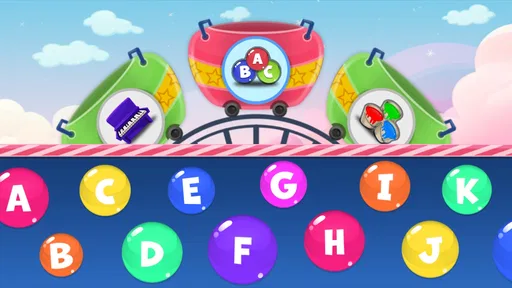
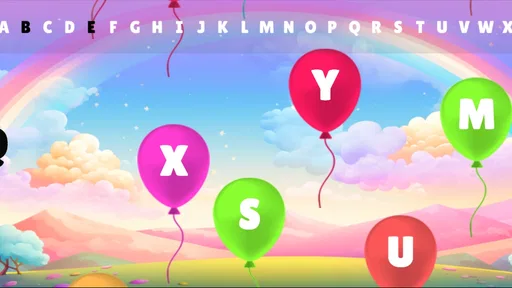
Kids Offline Preschool Games is an educational app designed for young children who are beginning to learn basic concepts. It typically combines simple activities involving letters, numbers, colors, shapes, matching, memory, puzzles, and hand-eye coordination. The interface is colorful and easy to understand, allowing children to explore at their own pace while practicing early learning skills through short, game-like exercises.
Can children play Kids Offline Preschool Games without an internet connection?
Yes, the main appeal of Kids Offline Preschool Games is that its activities are intended to work without a continuous internet connection after the app has been installed. This makes it useful for travel, waiting rooms, or situations where Wi-Fi and mobile data are unavailable. Parents should still check whether the first download, updates, advertisements, or optional content require an internet connection.
Is Kids Offline Preschool Games suitable for my child’s age and ability level?
The app is generally aimed at preschool-aged children, but the ideal age depends on the child’s reading ability, attention span, and familiarity with touch-screen controls. Younger children may need help understanding instructions, while older preschoolers may complete the easiest activities quickly. Parents should review the available games and difficulty levels to ensure the content matches their child’s development.
Does Kids Offline Preschool Games contain advertisements, in-app purchases, or parental controls?
Before allowing a child to use the app independently, parents should review its advertising and purchase settings. Some free children’s apps may display advertisements, offer paid upgrades, or include links to other content. Look for a parent area, purchase restrictions, and options to disable ads where available. Using device-level parental controls is also recommended to prevent accidental downloads or purchases.
What are the main benefits and limitations of Kids Offline Preschool Games?
The biggest benefits are convenient offline access, colorful activities, simple touch controls, and practice with foundational preschool skills such as counting, recognition, matching, and problem-solving. However, the app should complement rather than replace real-world play, books, conversation, and adult guidance. Repetitive exercises, limited difficulty, or distracting advertisements may also reduce its educational value for some children.


